
Table of Contents
1. The Problem Isn’t the Tool, It’s the Sequence
2. What Sales Software for Small Business Should Actually Do
3. Matching Sales Software to the Size of Your Business
4. The Eight Numbers That Tell You If Sales Software Is Worth Buying
5. Sales Software for Small Business Can’t Replace Outbound Prospecting
6. What to Do Before You Buy Sales Software
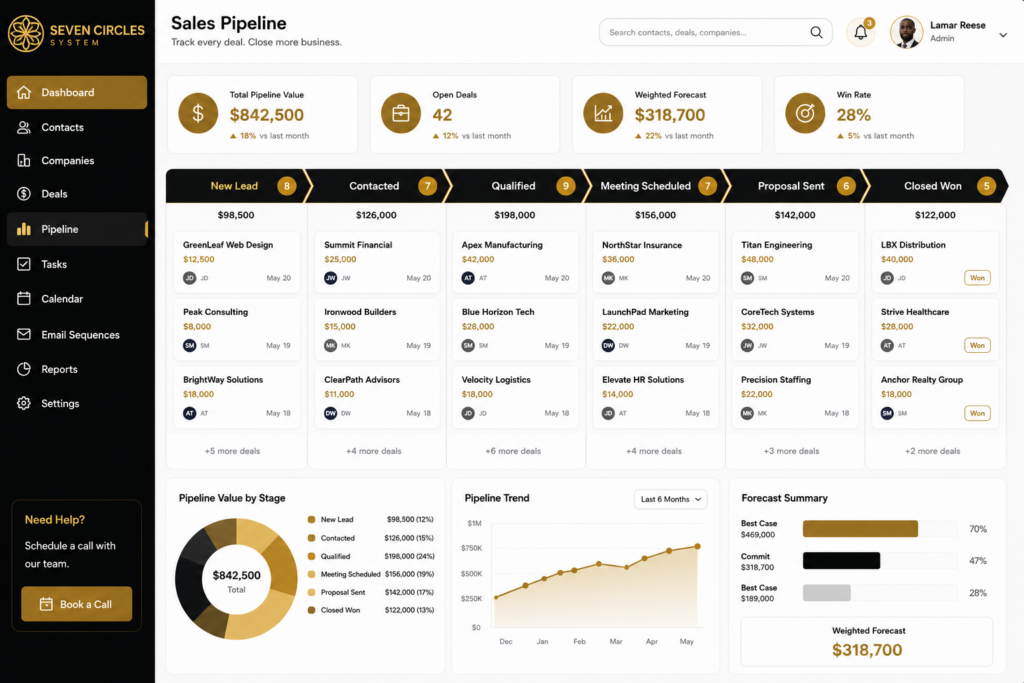
Sales software for small business only earns its subscription fee when there’s a process underneath it to run. You bought a CRM eighteen months ago, maybe two. It has a pipeline view, some fields for deal stage, a spot for notes. Right now it holds forty contacts nobody has touched since March.
The software isn’t broken. Most small businesses buy sales software before they have a sales process, and the process never shows up later because software can’t build one for you. It can only hold whatever process already exists.
This matters most if you’re a referral-dependent service business. You get clients when someone remembers you exist and happens to need what you do that month. There’s no outbound motion, no consistent pipeline, and no way to tell if next quarter looks like this one or nothing at all.
The Problem Isn’t the Tool, It’s the Sequence
Founders reach for sales software when growth feels unpredictable. That instinct is right. The sequence is wrong.
A CRM records activity. It doesn’t generate activity. Without a defined ideal client profile, a repeatable way to find those clients, and a sequence for moving them from contact to conversation to closed deal, sales software just becomes a more organized version of the chaos you already had.
Install the process first: who you’re targeting, how you reach them, what happens at each stage of the conversation, and what “qualified” actually means for your business. Then the software has a job to do. Before that, it’s a filing cabinet with a subscription fee.
What Sales Software for Small Business Should Actually Do
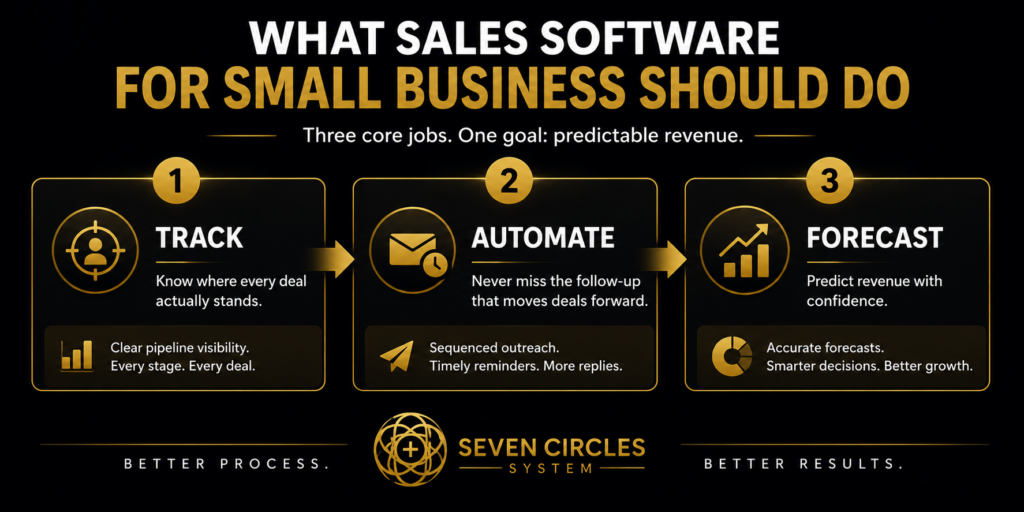
Strip away the demos and feature lists. Sales software for small business has three real jobs.
Track where every deal actually stands. Not a vague sense of it in your head, a system where anyone on your team knows exactly what stage a prospect is in and what the next action is. Consistent pipeline stages are the difference between forecasting and guessing. HubSpot’s breakdown of pipeline stages is a reasonable starting map if you’re defining yours from scratch.
Automate the follow-up you’d otherwise forget. Small teams don’t lose deals because the product was wrong, they lose them because nobody sent the third email. Sequenced outreach and templated follow-up close the gap between what you meant to do and what you had time for.
Give you a forecast you can trust. Once deals move through defined stages consistently, you can look at what’s in the pipeline and make a reasonable call on what closes this month. Gong’s guide to sales forecasting lays out how forecasting quality depends on pipeline data quality, not on a better formula.
That’s it. Contact management, automated follow-up, forecasting. Anything past that is a nice-to-have you’re paying for whether you use it or not.
Matching Sales Software to the Size of Your Business
A five-person consulting firm and a fifty-person MSP need different sales software, not because one is more sophisticated but because the sales motion is different.
If you’re a founder-led firm having every sales conversation yourself, you need software simple enough that you’ll actually update it between client calls. Complexity is the enemy here. A tool that takes fifteen minutes to log an interaction gets abandoned by week three.
If you have a small team fielding inbound and running outbound, you need shared pipeline visibility and enough automation that reps aren’t manually repeating the same follow-up sequence for every prospect. This is where sales process for service businesses starts to matter more than the software brand. The process defines what the automation should trigger and when.
Resist the instinct to buy the platform with the most features. You’re not choosing based on what it can theoretically do. You’re choosing based on what your team will actually use every day.
The Eight Numbers That Tell You If Sales Software Is Worth Buying
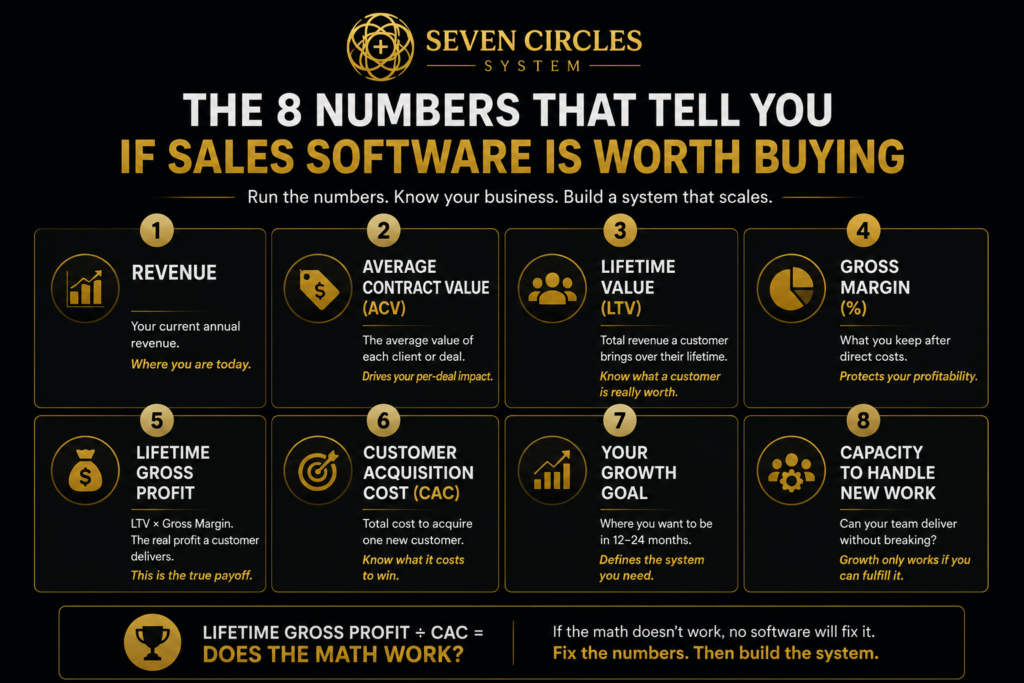
Before you sign a contract for sales software, run the numbers. Revenue, average contract value, lifetime value, gross margin, lifetime gross profit, customer acquisition cost, your growth goal, and your capacity to handle new work.
Lifetime gross profit divided by customer acquisition cost tells you whether an outbound motion, and the software running it, is worth installing at all. If your CAC eats most of what a client is worth over their lifetime, no amount of pipeline automation fixes that math. Capacity tells you the other half: even if leads come in, can your team deliver without breaking.
Most small businesses skip this step and buy sales software based on price or a slick demo. The eight-metric frame takes an afternoon and tells you whether you’re solving the right problem.
Sales Software for Small Business Can’t Replace Outbound Prospecting
A CRM is where deals live. It’s not where deals come from. If your pipeline is thin, sales software can organize that thinness beautifully and it still won’t produce a single new conversation.
Outbound prospecting for service firms means a defined list of the right companies, a way to reach the right person at each one, and messaging that earns a reply instead of an unsubscribe. HubSpot’s guide to sales prospecting covers the fundamentals of building that list and cadence. The software then holds and moves what the prospecting motion generates.
Firms that install the prospecting system before layering in sales software see a pipeline worth managing. Firms that buy software first end up with a beautifully organized empty pipeline.
What to Do Before You Buy Sales Software
Define your ideal client profile in specific terms, not “any business that needs our services.” Map out what a qualified conversation looks like at each stage. Decide who owns outbound activity and what a normal week of it looks like. Only then evaluate sales software against that process.
If you already own a CRM and it’s collecting dust, the fix usually isn’t switching tools. It’s building the process the tool was supposed to support in the first place. The system has to exist before sales software can run it, whether you’re using a fifteen-dollar tool or an enterprise platform.
If your pipeline depends on who remembers to call you back this month, that’s not a software problem. It’s a system that hasn’t been installed yet.
If you’re not sure where your pipeline is actually breaking, this breakdown of common lead generation challenges service businesses run into is a good place to start.
Already paying for sales software but still missing follow-ups or losing track of deals? See how Seven Circles builds the sales process behind your CRM.